🚀 Godot Launcher 1.4.0 - Windows Symlink Support, Change Log Shortcuts, and Stability Tweaks

Godot Launcher v1.4.0 is here! 🎉
This release introduces symlink support for Windows users, a convenient change log shortcut, and several quality-of-life improvements to keep the launcher stable and reliable.
🆕 What's New
Windows Symlink Support
[PR#17] · [PR#18] · [PR#34]
📖 Read the full guide >
Windows-only feature
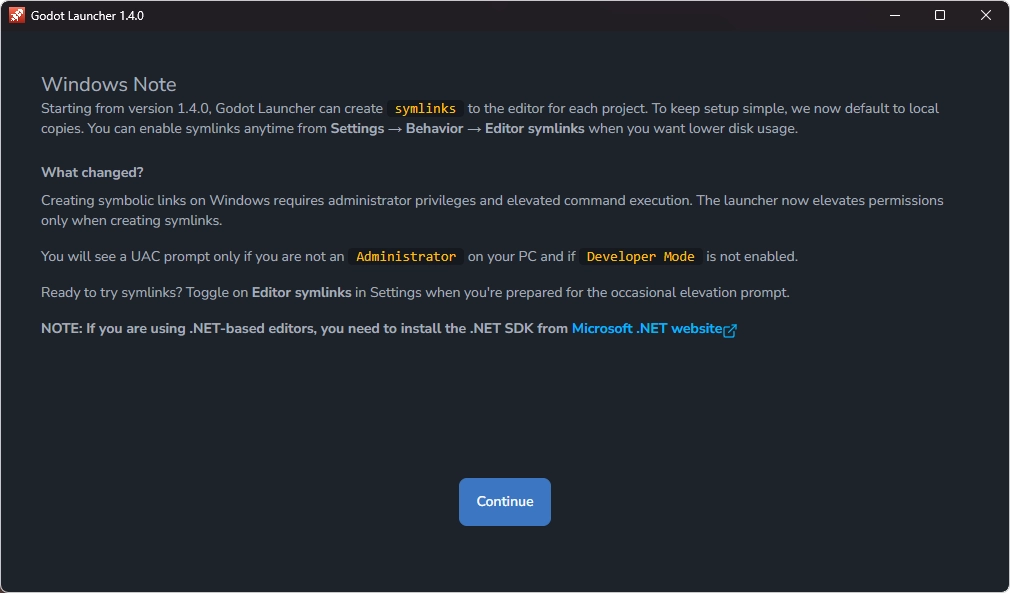
Windows users can now enable symlink mode, where Godot Launcher links projects to the installed Godot Editor instead of copying the release into each project folder. This reduces disk usage and makes switching editor versions much faster.
By default, enabling this option won't retroactively change existing projects. Projects only switch between copy ↔ symlink when their editor version changes, or when a new project is added.
To make this clearer, v1.4.0 introduces a welcome message on first launch highlighting the feature:
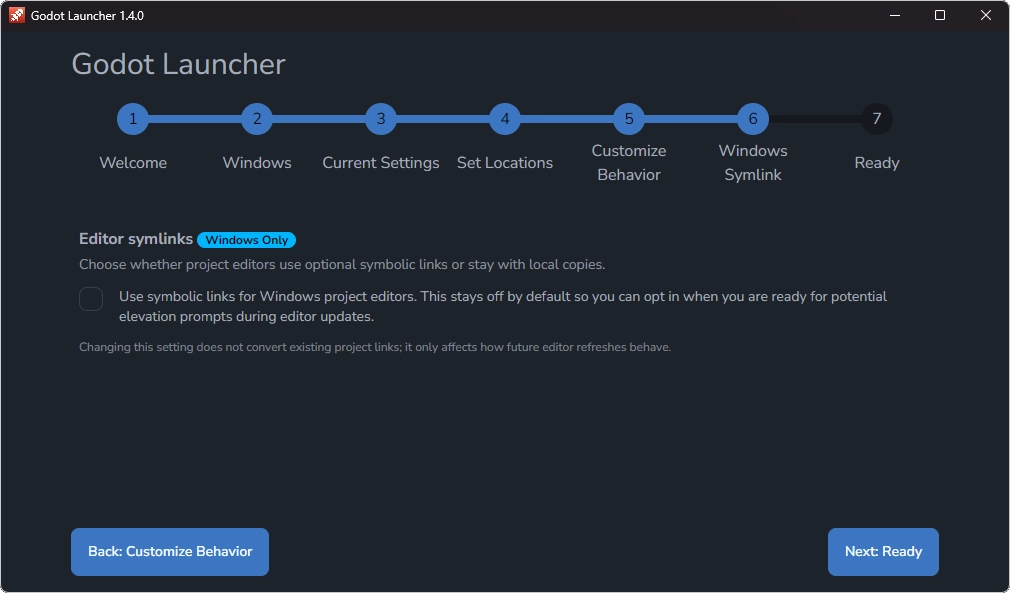
For users running Godot Launcher for the very first time, the onboarding flow now includes a step to toggle this setting:
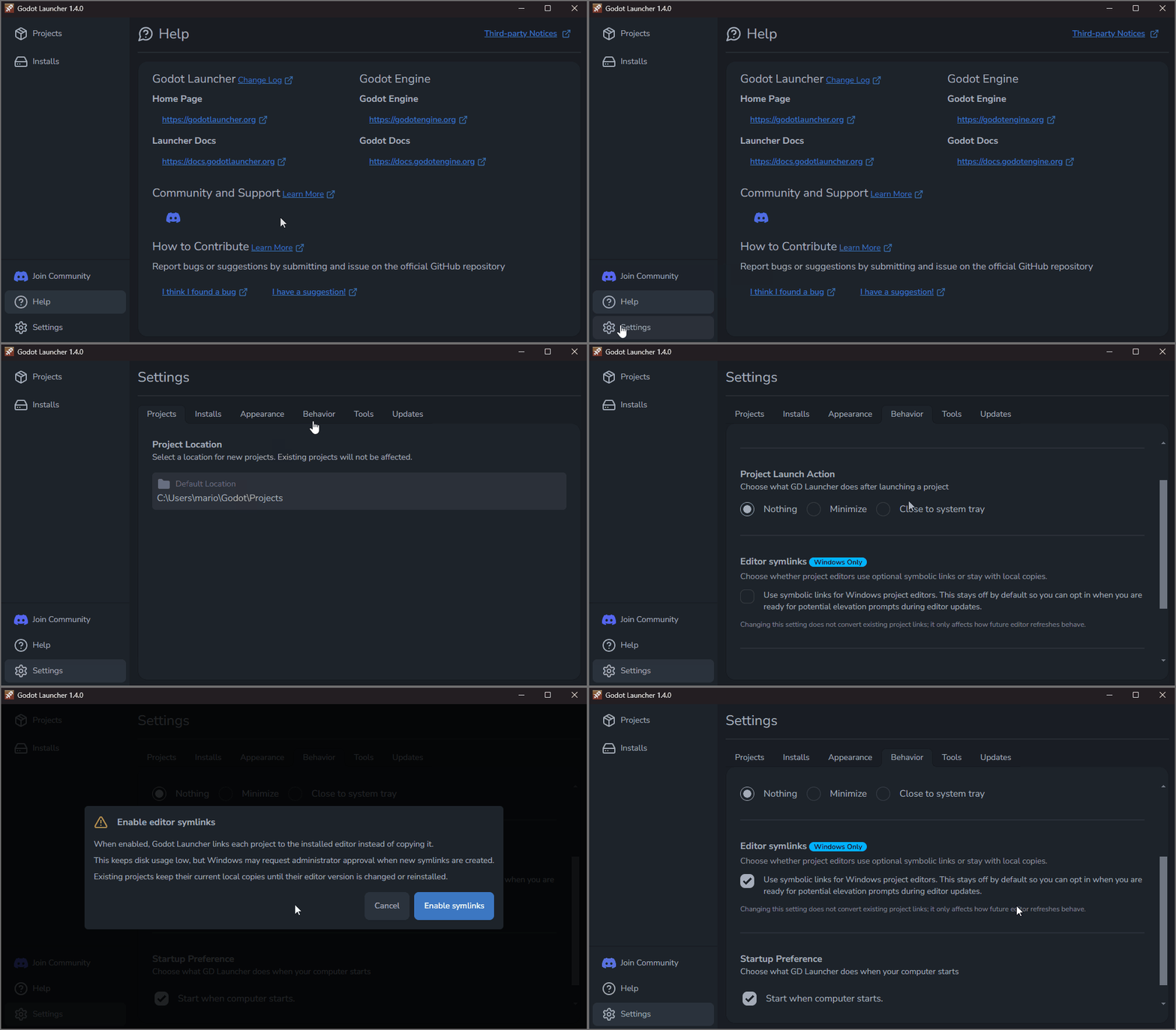
You can also adjust the setting anytime under Settings > Behaviour:
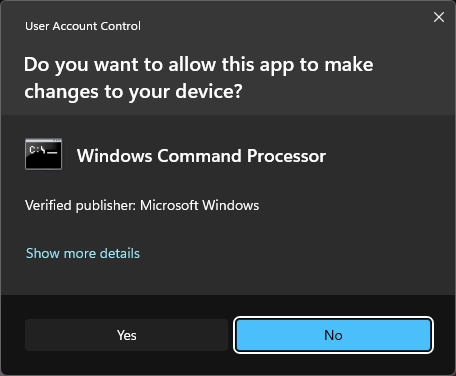
On Windows, symlinks require elevated permissions. Your user must be an Administrator and have Developer Mode enabled. If elevation is required, Godot Launcher will automatically prompt for it.
No-Sandbox option for Linux
[PR#36]
📖 Read the full guide >
Linux builds now support a no-sandbox mode using the --no-sandbox or --disable-sandbox arguments, or the environment variable GODOT_LAUNCHER_DISABLE_SANDBOX=1.
This option disables Chromium's sandboxing and can resolve startup errors on some distributions or AppImage environments.
Running without the sandbox reduces process isolation and security. Use this option only if the launcher fails to start normally.
Electron 38 Upgrade
The runtime has been updated to Electron 38, bringing the launcher up to date with the latest upstream security patches and performance improvements.
🔧 Fixes
Change Log Button in Help
The Help menu now includes a direct Change Log link, making it easier to check what's new in each release without digging through GitHub.
Persistent Project Sorting
Your preferred project order now survives restarts and reloads - the launcher always opens exactly the way you left it.
Safer Preferences Loading
If the preferences file can't be parsed, the launcher now falls back to defaults instead of leaving you stuck in a broken state.
Fonts Loading Properly
Fonts now load from their proper location, ensuring consistent typography across the app.
📦 Get the Update
Download the latest build from the GitHub Releases page, from our Download page, or update directly from within the launcher.
💡 Found a bug or have feedback? Open an issue or join the conversation on Discord.